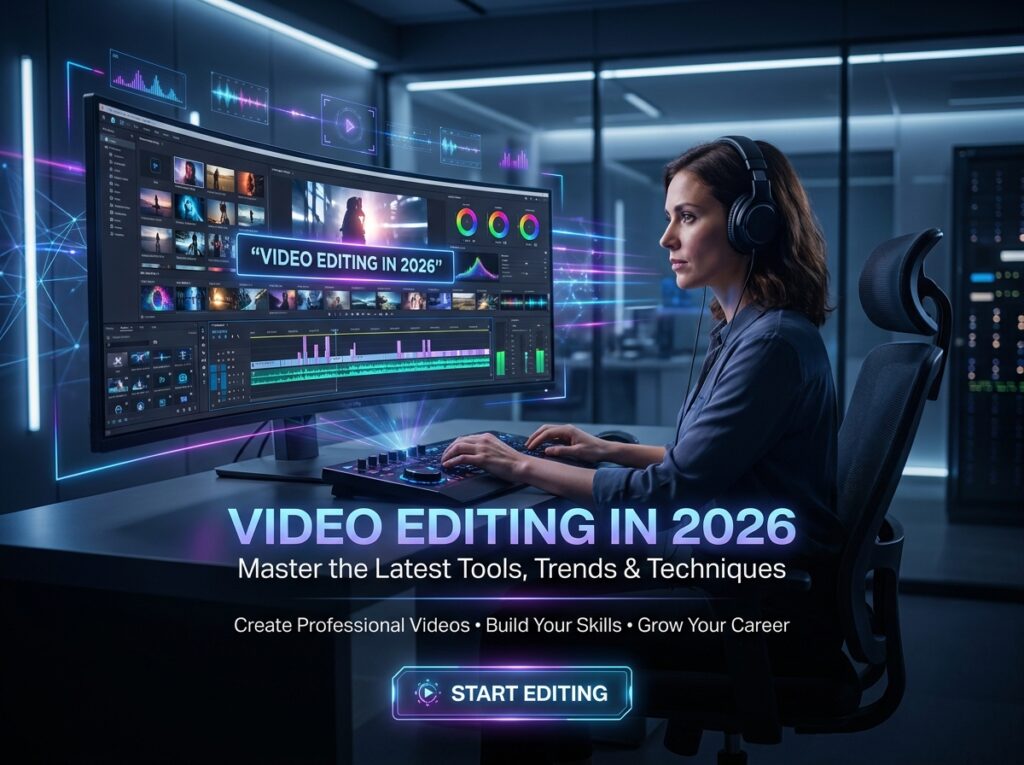
Imagine having the ability to take ordinary footage and transform it into a story that makes people stop scrolling, keep watching, and eventually take action. That is the real power of video editing. In 2026, video is no longer something reserved for filmmakers, television studios, or large advertising agencies. Businesses, influencers, educators, e-commerce brands, startups, coaches, freelancers, and content creators all depend on video to communicate with their audiences. According to Wyzowl’s 2026 video marketing research, 91% of businesses use video as a marketing tool, while 93% of video marketers consider it an important part of their overall strategy. This creates a major opportunity for anyone willing to develop genuine editing skills. The exciting part is that you do not need a film-school background to begin. You can start with a computer, suitable editing software, consistent practice, and a willingness to learn how visual storytelling works. Whether your goal is to become a professional editor, earn through freelancing, support your own business, create YouTube content, or build a career in digital marketing, learning video editing in 2026 can turn creativity into a practical and potentially profitable skill.
Why Video Editing Is a Powerful Video Editing in 2026
The internet has become increasingly visual, and video sits at the center of that transformation. Scroll through almost any major social platform and you will see short-form videos, advertisements, tutorials, product demonstrations, interviews, educational clips, podcasts, reels, documentaries, and branded content competing for attention. Businesses have learned that simply publishing information is not always enough; they need to package that information in a way people can understand quickly and remember. Wyzowl’s 2026 research reports that 93% of video marketers say video helps increase brand awareness, while 83% say it has directly increased sales. These figures help explain why editing is becoming more valuable. A camera can capture footage, but an editor decides what the audience sees, when they see it, how long they see it, and what emotion the sequence creates. Good editing is almost like invisible architecture: viewers may not consciously notice every cut, transition, sound effect, or color adjustment, but those decisions shape the experience. As more organizations compete for digital attention, editors who can combine technical ability with storytelling judgment can become important members of creative and marketing teams.
The Growing Demand for Video Content
The demand for video is not limited to one industry. A clothing brand might need product reels, a real-estate company may need property tours, a restaurant can use food videos, a software company may require tutorials, and an educator may need course lessons edited into engaging modules. Even a small local business can benefit from short videos that introduce services, answer customer questions, demonstrate products, or share customer experiences. This creates a broad market because video is not simply one type of content. It can be educational, entertaining, promotional, informational, documentary, corporate, or personal. The 2026 Wyzowl data also shows that 92% of marketers plan to spend the same or more on video marketing in 2026, suggesting that organizations continue to treat video as an important investment. For a new editor, this means the opportunity is not necessarily about competing for one giant Hollywood-style job. It can be about solving specific content problems for specific clients. A skilled editor who understands the client’s audience can become much more valuable than someone who simply knows how to place clips on a timeline.
Why Businesses Need Skilled Video Editors
Businesses often have cameras, smartphones, raw footage, product photos, interviews, screen recordings, and other content, but raw material is not the finished product. Someone has to organize it, remove unnecessary sections, improve pacing, clean up audio, add graphics, create captions, choose supporting footage, and prepare versions for different platforms. That is where an editor becomes useful. A business owner may have excellent knowledge of their product but no time or technical ability to transform hours of footage into a concise marketing video. An editor bridges that gap between raw information and polished communication. The value is not just technical; it is strategic. An editor needs to understand why the first few seconds matter, how to maintain viewer attention, where a visual should change, when music should become quieter, and how a message should end. In 2026, that combination of technology and judgment is particularly important because AI can accelerate many editing tasks, but businesses still need people who understand the objective behind the content. Learning video editing therefore gives you a skill that can be applied directly to marketing, communication, education, entertainment, and personal branding.
How AI Is Changing Video Editing in 2026
AI is one of the biggest changes affecting creative work in 2026, and video editing is no exception. Instead of treating AI as something that will simply replace editors, it is more useful to understand it as another layer of the editing toolkit. Modern editing applications can already help with tasks such as organizing footage, generating or extending media, masking subjects, searching through footage, processing transcripts, and creating initial assemblies. Adobe, for example, introduced AI Assistant capabilities in Premiere that can organize media, process transcripts, add markers, and assemble a first cut from footage through natural-language instructions. Wyzowl’s 2026 research found that 63% of video marketers have used AI video tools to help create or edit marketing videos, up from 51% the previous year. This does not make learning editing pointless. In fact, it makes understanding editing principles even more important because the person who knows what the final video should achieve can use AI more effectively than someone who simply presses automated buttons.
AI as a Creative Assistant
Think of AI as an extremely fast assistant rather than the director of your project. It can reduce repetitive work, but you still need to make creative decisions. Adobe’s current Premiere AI tools, for example, include capabilities designed to speed up masking and other time-consuming processes, while its Generative Media Tool can create video and sound effects directly within the editing timeline. These technologies can help an editor move faster, especially when a project contains repetitive tasks or large amounts of footage. But speed alone does not create a compelling video. If the story is confusing, the pacing is dull, or the message is aimed at the wrong audience, faster editing will not solve the underlying problem. The strongest editors of 2026 are likely to be those who combine traditional editing knowledge with modern AI-assisted workflows. Learn the fundamentals first, then learn where automation can save time. That approach gives you control instead of making you dependent on whatever tool happens to be popular at the moment.
Why Human Creativity Still Matters
There is a simple reason human creativity remains important: video is communication, not just assembly. Software can identify objects, generate clips, organize footage, or suggest an edit, but deciding what a story should feel like requires context. Should a product video feel luxurious, energetic, emotional, trustworthy, humorous, or minimal? Should a documentary pause before an important statement? Should a social-media advertisement cut rapidly or allow the viewer time to absorb the message? These are creative decisions. Adobe’s 2026 creator research found that 85% of surveyed creators believe the final creative decision should remain theirs, even as AI becomes more integrated into creative workflows. That distinction is important for anyone learning video editing. Do not focus only on learning buttons and menus. Learn how people respond to images, sound, rhythm, emotion, and information. Technology will continue changing, but the ability to understand an audience and tell a story will remain valuable.
What You Need to Learn to Become a Video Editor
Becoming a capable editor does not mean memorizing every feature inside every editing application. It means developing a set of transferable skills that you can use regardless of the software. Start by understanding the timeline, trimming, cutting, sequencing, transitions, frame rates, resolutions, aspect ratios, codecs, exporting, and media organization. Then move into more creative areas such as pacing, storytelling, sound design, color correction, typography, captions, motion graphics, and visual composition. A beginner sometimes makes the mistake of thinking that professional editing is about adding as many effects as possible. In reality, strong editing often looks surprisingly simple because every choice serves a purpose. A clean cut at the right moment can be more effective than an elaborate transition. A properly balanced soundtrack can improve a video more than dozens of visual effects. If you build your foundation around clarity, rhythm, and storytelling, you will be able to adapt to new tools much more easily. The goal is not to become someone who knows where every button is located; the goal is to become someone who can take an idea and turn it into a finished visual experience.
Essential Editing Fundamentals
The first major skill is cutting and pacing. Learn how to remove pauses, mistakes, repetition, unnecessary movement, and information that does not contribute to the story. Then study continuity so that shots feel connected rather than randomly assembled. You should also learn how to use B-roll, which can hide cuts and make explanations more visually interesting. Audio is another fundamental area that beginners often underestimate. Viewers may forgive average camera quality, but poor sound can make professional-looking footage feel amateur. Learn basic noise reduction, dialogue balancing, music levels, sound effects, and audio transitions. Color correction should come next, followed by creative color grading when you understand the difference between correcting an image and deliberately creating a visual mood. Captions and on-screen text are also increasingly important because social videos are often watched without sound. Once these fundamentals become natural, you can begin exploring motion graphics, compositing, advanced effects, and more specialized techniques. A strong foundation makes advanced editing easier because you understand why a technique works rather than simply copying a tutorial.
Storytelling, Sound, and Visual Design
Technical skills become much more powerful when they are combined with storytelling. A good editor asks questions throughout the process: What does the viewer need to know? What should they feel? What should they notice? What can be removed without damaging the message? The answers guide the edit. Sound also plays a major role because music can establish mood while sound effects can add realism and emphasis. Visual design matters too, particularly for social-media videos where captions, graphics, logos, colors, and animations need to work together rather than compete for attention. Consider a simple product video. You might begin with the problem, introduce the product, demonstrate how it works, highlight its benefits, provide proof, and finish with a clear call to action. The editing rhythm should support that structure. This is why professional editing is not simply about making footage look beautiful. It is about making information easier and more enjoyable to consume. Once you start thinking this way, every cut becomes a communication decision rather than just a technical operation.
Best Video Editing Tools to Learn in 2026
Choosing software can feel overwhelming because there are countless applications, each promising professional results. The best choice depends on your goals, computer, budget, and the type of videos you want to create. Professional desktop editors may prefer advanced applications such as Adobe Premiere Pro, DaVinci Resolve, or Final Cut Pro, while beginners creating social content may start with simpler applications. The important thing is not to spend months comparing software without actually editing. Pick one suitable tool and learn it deeply. Adobe Premiere’s current workflow, for example, combines traditional editing with AI-powered tools such as Object Mask, Generative Extend, Media Intelligence, and other automation features. DaVinci Resolve is particularly well known for combining editing, color, visual effects, motion graphics, and audio capabilities in one environment. Mobile-first editors can also build useful skills with applications designed for short-form content. The software is the instrument; your creative judgment is the musician. Learning five applications superficially is usually less valuable than becoming highly competent with one and understanding the principles that transfer to others.
Professional Desktop Editing Software
If your long-term goal is professional freelancing, agency work, commercial production, YouTube editing, or corporate video, learning a professional desktop editor is a strong investment. These applications provide deeper control over timelines, audio, color, effects, media management, captions, and exports. You should not try to master every advanced feature immediately. Begin with the tools you use repeatedly, such as cutting, trimming, keyframes, audio adjustments, text, basic effects, color correction, and export settings. After that, gradually learn more advanced techniques such as masking, tracking, compositing, multicamera editing, motion graphics, and workflow automation. The objective is to become efficient rather than complicated. A professional client does not care how many effects you know if the final video takes you three times longer than necessary. They care whether the video meets the brief, looks polished, communicates effectively, and arrives on time. Learning professional software while developing professional workflow habits can therefore give you a much stronger foundation for earning.
Beginner-Friendly and Mobile Editing Tools
You do not need an expensive workstation to begin learning video editing. A smartphone and a beginner-friendly editing application can be enough to understand basic cutting, captions, music, transitions, framing, and storytelling. This makes video editing accessible to students, freelancers, entrepreneurs, and creators who are just starting out. Short-form content is particularly useful for practice because you can complete projects quickly and see how different hooks and pacing choices affect the final result. Once you become comfortable, you can move toward more advanced desktop software. The transition becomes easier because you already understand the underlying principles. The biggest mistake is waiting for the perfect computer before learning. Start with what you have, focus on fundamentals, and upgrade when your workload actually requires it. Your first objective is not to produce a Hollywood movie. It is to make one clear, polished video and then make the next one better.
How to Build a Video Editing Portfolio
A portfolio is your proof. When a potential client asks, “Can you edit this?” telling them that you completed a course is useful, but showing them what you can actually produce is much stronger. The good news is that beginners do not need to wait for paid clients before creating a portfolio. You can produce sample projects using your own footage, legally available stock footage, screen recordings, public-domain materials, or content created specifically for practice. Create different types of projects so your portfolio demonstrates range. For example, make a short social-media advertisement, a talking-head edit, a product video, a YouTube segment, a cinematic montage, and an educational clip. Each project should have a purpose and a target audience. Avoid filling your portfolio with random effects just to make it look busy. Instead, demonstrate skills clients actually need: clean cuts, strong pacing, captions, audio improvement, color consistency, storytelling, and platform-ready formatting. A small collection of excellent examples is usually more persuasive than a huge folder of unfinished experiments.
Creating Projects Without Clients
If you have no clients, create imaginary client briefs. Pretend a local restaurant hired you to promote a new menu item. Pretend an online store needs a product advertisement. Pretend a fitness coach wants a motivational reel. Give yourself a deadline and a specific objective. This exercise changes practice from random experimentation into professional training. You can also take one piece of footage and edit it in several different styles to understand how creative choices affect the message. For example, create one energetic version for TikTok or Reels, one polished version for a business advertisement, and one longer version for YouTube. This demonstrates adaptability. You can then publish selected projects on a portfolio website or professional social profile. The process teaches another valuable lesson: clients rarely hire editors because they can make beautiful videos alone. They hire people who can understand a brief and turn it into a result. Practicing with realistic briefs helps you develop exactly that ability.
Turning Practice Projects Into Proof of Skill
When building your portfolio, explain what you did rather than simply uploading a video. Include a short description of the project, the objective, the editing approach, and the tools used. If you improved the audio, explain that. If you created captions and optimized the video for mobile viewing, mention it. If you transformed long footage into a short-form advertisement, show the before-and-after concept where possible. This helps potential clients understand your thinking. A portfolio becomes much more powerful when it demonstrates problem-solving instead of only visual decoration. You can also specialize gradually. Perhaps you discover that you enjoy editing podcasts into short clips. Maybe you prefer e-commerce advertisements, YouTube videos, real-estate tours, educational content, or social-media reels. Specialization can make your marketing clearer because instead of saying “I edit videos,” you can eventually say, “I help coaches turn long videos into engaging short-form content.” Specific positioning often makes it easier for the right client to recognize your value.
How to Make Money With Video Editing
Once you have real skills and a portfolio, video editing can become a service you sell. There are several paths, and you do not need to choose only one forever. Freelancing platforms can connect you with international clients, while direct outreach can help you work with local businesses and creators. You can also build relationships with marketing agencies that need editors for recurring projects. Another path is to work with content creators who need weekly or daily editing support. The most important shift is to stop thinking only in terms of “editing videos” and start thinking in terms of solving business problems. A client may not actually want an edited video; they may want more engaging content, consistent social media output, better advertisements, or more professional communication. If your editing service helps achieve those goals, your value becomes easier to explain. The market for digital video is also supported by growing advertising investment. IAB projected that U.S. digital video advertising spending would surpass $80 billion in 2026, with social video and the creator economy contributing to growth.
Freelancing and Remote Clients
Freelancing can be an attractive starting point because you can begin with small projects and gradually build relationships. Your first job might be a short social-media reel, a YouTube intro, a product video, or a simple talking-head edit. Do not underestimate small projects. They can teach you how to communicate with clients, handle revisions, meet deadlines, organize files, and deliver the correct formats. These business skills are just as important as editing. As your portfolio improves, you can target clients who need recurring work rather than one-off projects. Recurring clients can create more predictable income because you are solving the same type of problem repeatedly. You can also develop packages, such as a certain number of short-form videos per month, rather than selling every project individually. The exact pricing depends on your skill, niche, turnaround time, complexity, location, and client budget. Instead of copying another editor’s price, focus first on becoming efficient and producing results. As your quality and demand grow, you can adjust your pricing accordingly.
Social Media and Creator Editing Services
Short-form content has created another major opportunity for editors. Creators may record long podcasts, interviews, livestreams, courses, or talking-head videos but lack the time to convert those recordings into multiple short clips. An editor can identify strong moments, remove unnecessary sections, add captions, improve pacing, insert B-roll, create visual emphasis, and format each clip for the intended platform. This can become a repeatable service. YouTube is also important because its analytics tools allow creators to examine video performance and understand metrics related to individual videos and channels. A skilled editor who learns to think about retention, hooks, structure, and audience behavior can become more useful than someone who simply makes videos look attractive. The opportunity is especially interesting for editors who combine video editing with social-media knowledge. If you understand both how to edit and why people watch, you can offer a more complete service.
A Practical Roadmap to Learn Video Editing
Learning video editing becomes much easier when you stop treating it as one enormous subject. Break it into stages. During the first stage, learn the interface and basic timeline operations. During the second, practice cutting, pacing, audio, captions, and simple color correction. During the third, focus on storytelling, visual design, motion, and platform-specific editing. During the fourth, create portfolio projects and begin working with realistic briefs. During the fifth, learn client communication, pricing, file management, revisions, and delivery. You do not need to become an expert before creating your first portfolio. You become better by creating projects, reviewing them critically, identifying weaknesses, and making the next project better. This is similar to learning a musical instrument: reading about music helps, but your fingers improve only when you practice. The same is true for editing. Watching hundreds of tutorials can feel productive, but actually completing projects is what develops judgment. Set a practical target such as completing one meaningful editing project every week and gradually increase the difficulty.
From Beginner to Professional Editor
A beginner often asks, “Which software should I learn?” A developing editor starts asking, “How can I make this story clearer?” A professional eventually asks, “What result does the client need, and how can I achieve it efficiently?” That progression represents the real journey. Start with technical fundamentals, but deliberately move toward creative and business thinking. Study videos you admire and analyze why they work. Pause at cuts and ask why the editor changed the shot at that moment. Listen to the sound design and notice how music changes the emotional energy. Observe captions, graphics, color, framing, and pacing. Then recreate selected techniques as exercises without copying the finished work for commercial use. Over time, your instincts improve. You begin to anticipate problems before they appear on the timeline. You can quickly identify unnecessary footage, recognize weak openings, and understand where a story needs visual support. That is when editing begins to feel less like operating software and more like directing attention.
Building Consistency Through Practice
Consistency is one of the biggest differences between people who casually experiment with editing and people who develop professional skill. You do not need to practice for eight hours every day. You need a repeatable learning routine. Spend some time learning, some time editing, and some time reviewing your own work. Keep a folder of projects and periodically compare your latest work with older videos. You will often notice improvements that were invisible day by day. Also challenge yourself to edit different types of footage because every format teaches something different. A talking-head video teaches pacing and dialogue editing. A product advertisement teaches visual persuasion. A cinematic sequence teaches composition and rhythm. A tutorial teaches clarity. A short social video teaches attention management. AI can accelerate parts of this practice, but it should not replace your decision-making. The goal is to develop a creative eye that can use technology intelligently. In 2026, the fastest editor will not necessarily be the person who clicks fastest; it may be the person who combines creative judgment, efficient workflow, AI awareness, and strong communication.
Conclusion: Turn Your Creativity Into a Career
Learning video editing in 2026 is about much more than learning software. It is about learning how to communicate through moving images, sound, rhythm, design, and emotion. The demand for video continues across businesses, creators, educators, marketers, and digital platforms, while AI is making many technical processes faster. Wyzowl’s 2026 research shows that video remains deeply integrated into business marketing, with 91% of businesses using video and 92% planning to maintain or increase video spending. At the same time, AI adoption is increasing, making it even more important for editors to understand both technology and creative fundamentals. If you are starting from zero, do not wait until you have perfect equipment, perfect software, or perfect confidence. Start with one editing application, one project, and one clear goal. Build your skills, create a portfolio, learn how clients think, and gradually turn your ability into a service. Your creativity can remain a hobby, but it can also become a professional skill—and with consistent effort, video editing can become a valuable part of your career in the digital economy of 2026 and beyond.
FAQs About Learning Video Editing in 2026
1. Is video editing a good skill to learn in 2026?
Yes. Video continues to be widely used by businesses, marketers, creators, educators, and brands. Wyzowl reports that 91% of businesses use video as a marketing tool in 2026, while 92% of marketers plan to maintain or increase their video spending. The combination of strong video demand and increasingly accessible editing technology makes it a practical skill for beginners and professionals.
2. Can I learn video editing without a professional degree?
Absolutely. Video editing is a skill that can be developed through structured learning and consistent practice. You can learn fundamental editing principles through courses, tutorials, practical projects, and portfolio work. A strong portfolio can demonstrate your abilities even if you do not have a formal film or media degree.
3. Will AI replace video editors?
AI is changing video editing, but it does not eliminate the need for creative judgment. Modern AI tools can organize footage, automate repetitive tasks, generate media, and assist with editing workflows. Adobe’s 2026 Premiere AI Assistant, for example, can help with media organization and initial editing tasks while keeping the editor in control. Editors who learn to combine AI with storytelling, visual judgment, communication, and technical skills can potentially become more efficient.
4. How long does it take to learn video editing?
The answer depends on your goals and practice schedule. You can learn basic cutting, transitions, captions, audio, and simple effects relatively quickly, but professional-level editing requires much more practice. A consistent learner can begin creating portfolio-quality beginner projects within months while continuing to develop advanced skills over time.
5. Can video editing become a freelancing career?
Yes. Video editors can offer services to YouTubers, social-media creators, agencies, e-commerce businesses, educators, coaches, startups, and other organizations. You can start with small projects, create a portfolio, collect testimonials, develop a niche, and gradually pursue recurring clients. The more you understand both editing and the business objective behind the content, the stronger your freelance offering can become.