
MS Office Course in Gujranwala in 2026: Your Complete Guide to Excel, Word & PowerPoint
Why MS Office Skills Matter in 2026
Learning computer skills is no longer simply an advantage; for many students and job seekers, it has become part of being workplace-ready. An MS Office Course in Gujranwala can give beginners a practical foundation for handling documents, spreadsheets, presentations, reports, records and everyday digital tasks. Microsoft continues to develop Word, Excel and PowerPoint as part of its modern Microsoft 365 ecosystem, which combines productivity applications with cloud services and collaboration features. The important point is that you do not need to become a software developer to benefit from these applications. Think of Microsoft Office as a digital toolbox: Word is your document-making tool, Excel is your data and calculation tool, and PowerPoint is your presentation tool. Once you understand how these tools work together, routine office tasks become much easier and faster. For students in Gujranwala, these skills can support academic assignments and presentations; for job seekers, they can help with administrative and office responsibilities; and for working professionals, they can improve productivity. A good course should therefore focus on practical ability rather than simply teaching students where different buttons are located. You should finish the course capable of creating something useful without needing someone beside you. Modern Microsoft 365 also supports browser-based access and collaboration, allowing users to work with documents and share them through the cloud. That makes MS Office knowledge relevant even beyond the traditional desktop environment. If you are searching for computer courses in Gujranwala, MS Office remains one of the most practical starting points because it builds skills that can be applied almost immediately in education, business and employment.
Microsoft Word for Professional Documents
Microsoft Word is often the first application students encounter when learning office productivity because it turns ordinary typing into structured, professional documentation. A quality MS Office Course in Gujranwala should take learners beyond basic typing and teach them how to create letters, applications, reports, resumes, business documents, assignments and formatted documents efficiently. Students should understand page setup, margins, fonts, paragraph formatting, headings, tables, images, page numbers, headers and footers, document themes and professional layouts. They should also learn useful productivity features such as Find and Replace, spelling and grammar tools, templates, printing options and PDF conversion. These may sound like small features, but together they can save a surprising amount of time when you are working with lengthy documents. Imagine writing a 20-page report manually and then being asked to change every heading style; without proper Word knowledge, that can become frustrating. With styles and document formatting tools, the same task becomes much easier. Microsoft also provides collaboration capabilities through Microsoft 365, allowing people to share documents and work together rather than repeatedly emailing different versions of the same file. For students, Word can make assignments look organized and professional.For job seekers, MS Word can be a valuable tool for creating professional CVs, resumes, and well-structured cover letters. Strong document formatting skills can help candidates present their qualifications, experience, and career goals in a clear and professional way, making their job applications more polished and effective. It provides a reliable and professional platform for producing, editing, formatting, and organizing digital documents. Developing strong MS Word skills can help employees complete everyday computer-based tasks more quickly, accurately, and efficiently, making it a valuable skill for modern workplaces.
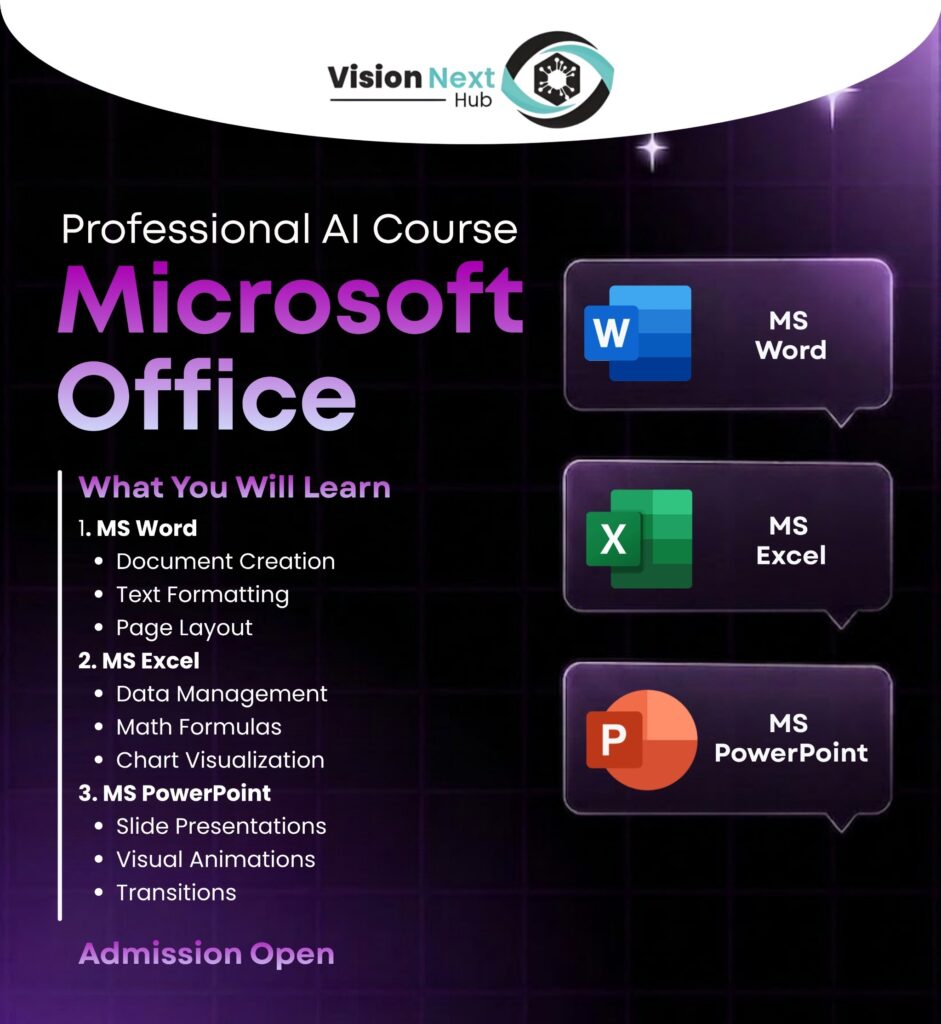
Microsoft Excel for Data and Office Work
If Word helps you communicate information, Microsoft Excel helps you organize, calculate and understand information. This is one of the strongest reasons people choose an MS Office course, especially when they want office, accounts, administration, data-entry or business-related skills. Excel can be used for attendance sheets, salary calculations, invoices, budgets, inventory records, sales reports, student marks, customer databases and many other everyday tasks. A beginner might start with cells, rows and columns, but practical Excel training should gradually introduce formulas, functions, formatting, sorting, filtering, tables and charts. Microsoft also provides data-analysis features in modern Excel versions, including tools designed to analyze data and return useful visual insights. Once you understand formulas such as SUM, AVERAGE, COUNT, IF and related functions, spreadsheets become much more powerful than simple tables. You can build a worksheet that performs calculations automatically rather than repeatedly using a calculator. This is where an instructor-led Excel course in Gujranwala can be particularly valuable because students can practice realistic examples instead of memorizing formulas in isolation. The real skill is not knowing that a function exists; it is knowing when and why to use it. Advanced learners can move into lookup functions, conditional formatting, PivotTables, charts and data-cleaning techniques. Even if your career does not revolve around finance, Excel can still become one of the most useful digital tools in your professional life. A person who can confidently turn raw information into a clean, understandable report often has a practical advantage in an office environment.
Microsoft PowerPoint for Presentations
PowerPoint is the third major skill that should form the foundation of a complete MS Office Course in Gujranwala. It is designed to help users communicate ideas visually through slides, and that makes it useful for students, teachers, trainers, sales teams, business owners and professionals. A beginner should learn how to create slides, select layouts, insert text and images, use themes, organize information and present a topic logically. However, professional PowerPoint training should go further. Students should understand visual hierarchy, alignment, typography, slide consistency, charts, icons, images, transitions and appropriate animations. Microsoft 365 includes presentation features designed to help users create polished slides, while Microsoft also provides extensive visual resources such as images, icons, illustrations and other assets for supported users. The goal should not be to fill every slide with animations and colorful text. Learning how to combine concise text with useful visuals is an important communication skill. Once Word, Excel and PowerPoint are learned together, students begin to see how the three applications complement one another. Data can be analyzed in Excel, written into areport using Word and summarized visually in PowerPoint. That combination is much more valuablethan learning each application as an isolated subject.
What You Learn in an MSOffice Course in Gujranwala
A well-designed MS Office Course in Gujranwala should provide a structured learning journey rather than throwing beginners into advanced features on the first day. The course should ideally beginwith computer fundamentals, file management and basic operating-system navigation before moving into Word, Excel and PowerPoint. Students should learn how to create folders, organize files, rename documents, copy and move files, use common keyboard shortcuts and understand different document formats. From there, Word can introduce professional document creation, Excel can develop spreadsheet and data skills, and PowerPoint can build presentation abilities. Depending on the course level, learners may also be introduced to email, cloud storage, printing, PDF handling and basic workplace productivity. Microsoft 365 has expanded the traditional concept of Office by connecting applications with cloud storage, collaboration and access across devices. That means modern training should not focus only on old-fashioned desktop workflows. Students should understand how files can be shared, accessed and collaborated on when appropriate. Practical assignments can make this process much more meaningful. For example, an instructor might ask a student to create an employee attendance sheet in Excel, prepare a formal report about that data in Word and then make a five-slide presentation summarizing the results in PowerPoint. Suddenly, the learner is not memorizing software features; they are solving a realistic workplace problem. This approach can make an MS Office course for beginners much more engaging and useful. The exact syllabus can vary by institute, but the central objective should remain the same: students should leave with confidence, practical experience and the ability to perform common digital tasks independently.
Basic Computer and Office Skills
Before becoming advanced in Word, Excel or PowerPoint, students need a reliable foundation in basic computer operation. This includes understanding the desktop environment, keyboard and mouse usage, folders, file extensions, storage locations, printing and basic troubleshooting. These fundamentals may appear simple to experienced users, but they can make a major difference for someone who is using a computer seriously for the first time. A good instructor should therefore create an environment where beginners can ask questions without feeling embarrassed. The learning process should move gradually from simple tasks to practical projects. For example, students can start by creating a folder structure for personal documents, then save Word files inside it, export documents as PDFs and organize related Excel spreadsheets. Keyboard shortcuts should also be introduced because small improvements in speed can add up over hundreds of tasks. Shortcuts for copying, pasting, saving, selecting and navigating documents can make computer use feel much more natural. Students should also understand the importance of file naming and backups because losing an important assignment, report or business document can be costly. Microsoft 365 provides cloud storage through OneDrive in supported plans, giving users another way to access and manage files across devices. These fundamentals create the base upon which advanced MS Office skills can be built. When students understand both the software and the basic workflow around it, they become more independent. That independence is one of the most valuable outcomes of computer training.
Practical Excel Skills Every Student Should Learn
Excel deserves special attention because many students initially find spreadsheets confusing, yet it can become one of the most rewarding office applications once the logic is understood. An effective MS Office Course in Gujranwala should teach Excel through practical projects rather than a long list of isolated formulas. Start with data entry, formatting and simple calculations, then move toward functions and structured datasets. Students should learn how formulas reference cells, how relative and absolute references work, and how functions can automate repetitive calculations. They should also understand sorting and filtering because clean data is essential before analysis. Tables can make datasets easier to manage, while charts can transform numbers into visual information that people can understand quickly. Conditional formatting is another useful feature because it can highlight values that meet specific conditions. As learners become comfortable, they can explore PivotTables, lookup functions and more advanced reporting techniques. Microsoft continues to add intelligent and cloud-enhanced capabilities to Excel, including tools that can analyze data and generate visual insights in supported versions. The best way to learn these features is through scenarios that resemble real work. Create a monthly expense sheet, calculate totals, compare sales, identify the highest-performing product and turn the results into a chart. This kind of exercise teaches both the technical feature and the business reason behind it. By the end of training, a student should be able to look at a spreadsheet and understand how to organize it, calculate information, identify patterns and communicate the results. That is a far stronger skill than simply being able to type numbers into cells.
Formulas, Functions, Tables and Data Analysis
The real power of Excel begins when students stop treating it as a digital notebook and start treating it as a calculation and analysis system. Formulas allow one cell to depend on another, meaning a change in the original data can automatically update the result. Functions make common calculations faster and more consistent, while tables help organize information in a structured format. Students should gradually learn functions such as SUM, AVERAGE, COUNT, MAX, MIN and IF, followed by more advanced tools based on their career goals. Lookup and reference functions can be particularly useful when working with larger datasets, while PivotTables can help summarize information quickly. Charts then provide a visual layer that makes trends easier to communicate to managers, teachers, clients or classmates. A strong Excel learner should also understand that accuracy matters as much as speed. A beautifully formatted spreadsheet with incorrect formulas is still a bad spreadsheet. That is why practical exercises should include checking formulas, validating results and reviewing data before presenting it. Modern Excel also includes data-analysis features intended to help users discover patterns and useful visualizations. For students in Gujranwala, these skills can be useful in administrative jobs, education, retail, accounting support, sales, small businesses and many other environments. The deeper lesson is simple: Excel helps turn raw information into something actionable. Once a learner understands that process, the software becomes much less intimidating and far more useful.
Microsoft Word Skills for Students and Professionals
Professional Word skills can transform the way a student or employee communicates through documents. Instead of producing a page that simply contains text, a trained user can create a structured document with headings, sections, tables, images, page numbers and consistent formatting. This matters when preparing assignments, research reports, business proposals, resumes, meeting documents and official letters. Students should learn how to use styles because consistent formatting becomes much easier when styles are applied correctly. They should also understand page breaks, section breaks, headers and footers, table formatting and document review. Templates can speed up repetitive work, while PDF export can make documents easier to distribute. Microsoft 365 also supports collaboration, allowing documents to be shared and edited by multiple people depending on the user’s setup and permissions. This can be particularly useful for teams working on reports or shared projects. A strong Word learner should also develop an eye for readability. A professional document is not necessarily the one with the most decoration; it is the one that makes information easy to understand. Spacing, hierarchy and consistency often matter more than excessive design. For job seekers, Word can also be used to prepare a clean CV and supporting documents. For office employees, it can reduce the time needed to prepare routine paperwork. For students, it can improve the presentation of academic work. These practical benefits explain why Word remains a core component of a complete computer course.
Microsoft PowerPoint and Professional Presentation Design
Learning PowerPoint is not simply about learning how to add a new slide. It is about learning how to present information in a way that an audience can follow. A professional PowerPoint course in Gujranwala should teach students how to structure a presentation before opening the software. Every presentation needs a clear objective, logical sequence and appropriate amount of information. Students should learn to avoid crowded slides, excessive animations and tiny text. They should also learn how to use images, icons, charts and diagrams when they genuinely improve understanding. Microsoft provides design-related features in PowerPoint that can suggest layouts based on slide content, helping users create more polished presentations. Students can practice by creating presentations for imaginary businesses, university projects, marketing campaigns or training sessions. This creates a useful bridge between software skills and communication skills. A presentation might begin with a problem, introduce evidence, show a solution and end with a clear call to action. That structure is useful far beyond classrooms. Business owners can present plans, sales professionals can explain products, trainers can deliver lessons and students can defend projects. The most valuable PowerPoint skill is therefore not a particular animation or transition. It is the ability to turn information into a visual story. Once learners understand that principle, PowerPoint becomes much easier to use creatively and professionally.
Who Should Join an MS Office Course?
An MS Office Course in Gujranwala can be suitable for a wide range of learners because the applications are used across education, administration, business and professional communication. Students can benefit from Word for assignments, Excel for data and PowerPoint for presentations. Job seekers can develop workplace-ready computer skills before applying for administrative, office-assistant, data-entry or support roles. Teachers can use Word for documents, Excel for records and PowerPoint for lessons. Small business owners can use Excel for expenses, inventory and sales while using Word for documentation and PowerPoint for proposals. Even freelancers can benefit because clients may expect files to be delivered in familiar formats. The course is not limited to people who already understand computers; beginners can start from the fundamentals and progress gradually. What matters is choosing training that matches your starting level. Someone who has never used Excel should not be expected to master advanced formulas in the first lesson. Likewise, someone already comfortable with Word may want to spend more time on advanced Excel. A flexible learning approach can accommodate both types of students. The most important question is not, “Am I good at computers?” but rather, “What tasks do I want to perform confidently?” Once that question is answered, the right training path becomes much clearer. A practical course can turn uncertainty into confidence through repeated exercises, feedback and real-world projects.
Career Opportunities After Learning MS Office
MS Office alone does not guarantee employment, but strong office productivity skills can support many entry-level and professional career paths. Roles involving administration, data entry, office assistance, customer support, documentation, sales coordination and basic reporting may require frequent use of Word, Excel or PowerPoint. Excel skills can be particularly useful in environments where employees maintain records, calculate figures or prepare reports. Word can support documentation and communication, while PowerPoint can become valuable when presentations are part of the job. The key is to avoid thinking of MS Office as a single job qualification. Instead, consider it a foundation that can be combined with another specialization. For example, Excel plus accounting knowledge can create a stronger profile for finance-related support work. Excel plus data-analysis skills can lead toward more advanced analytical learning. Word plus communication skills can support administrative roles, while PowerPoint plus marketing knowledge can be useful for presentations and proposals. Freelancers can also combine MS Office with virtual assistance, data entry or document formatting services. Microsoft 365’s cloud-based collaboration features also reflect how modern office work increasingly involves sharing documents and working with others digitally. Employers ultimately care about what you can do, not simply what course certificate you have. Therefore, students should build a small portfolio of practical work during training. A professional report, formatted CV, Excel dashboard and PowerPoint presentation can demonstrate ability much better than a statement saying, “I know MS Office.”
How to Choose the Best MS Office Course in Gujranwala
Choosing an MS Office course in Gujranwala should involve more than comparing course fees or looking at a promotional poster. First, examine the syllabus and determine whether it covers Word, Excel and PowerPoint in enough depth. A course that spends most of its time on basic typing may not provide the practical skills you actually need. Second, ask whether students complete projects and assignments because hands-on practice is essential for software learning. Third, consider the instructor’s teaching approach. Can the trainer explain difficult concepts in simple language? Do students get opportunities to ask questions and practice independently? Fourth, check whether the course introduces modern workflows such as PDF handling, cloud storage and document sharing where appropriate. Microsoft 365 now supports browser-based Word, Excel and PowerPoint experiences and collaborative workflows, so modern office training can benefit from including these concepts. You should also consider class size, practical lab access, course duration and whether the institute provides support when you get stuck. A certificate can be useful as evidence of training, but it should never be the only reason you choose an institute. The real test is whether you can sit at a computer after completing the course and confidently complete realistic tasks without constant assistance. Ask yourself what you will actually be able to produce by the end of the program. If the answer includes professional documents, functional spreadsheets and effective presentations, you are looking at a course with practical value.
Why Practical Training Is Better Than Theory
You can watch dozens of videos about Excel and still freeze when someone gives you a real spreadsheet. That is because knowing about a feature is different from knowing how to use it. Practical training closes that gap by allowing students to perform tasks repeatedly until the process becomes familiar. In an effective MS Office Course in Gujranwala, students should not spend every class watching an instructor demonstrate software while they simply take notes. They should create documents, build spreadsheets, make presentations, correct mistakes and complete assignments themselves. Mistakes are actually an important part of the process because they reveal where understanding is weak. Suppose a student creates an Excel sales report and receives an incorrect total. Instead of simply being shown the answer, the instructor can help identify the formula problem and explain how to avoid it next time. The same approach works with Word formatting and PowerPoint design. Practical projects can also make learning more memorable because students understand why a feature is useful. A simulated office project could require learners to prepare an employee attendance workbook, create a monthly report in Word and present the results through PowerPoint. That single project can combine multiple skills and create a realistic experience. The purpose of training should therefore be transformation, not information overload. By the end, a learner should feel that a computer is a tool they can control rather than something complicated they are afraid to touch.
MS Office Course Duration and Learning Roadmap
The right MS Office course duration depends on the learner’s starting level, the depth of the syllabus and the amount of practical work included. A beginner-focused program may start with computer fundamentals and gradually introduce Word, Excel and PowerPoint. A more advanced program can spend additional time on formulas, data analysis, document automation, advanced formatting and presentation design. Rather than choosing a course simply because it is short, consider how much actual practice is included. A useful roadmap might begin with basic computer and file-management skills, move into Word, then build Excel skills before finishing with PowerPoint and integrated projects. Students should receive progressively harder assignments so they can see their improvement. For example, an early Word task could be a simple formal letter, followed by a multi-page report. In Excel, students might begin with basic calculations and eventually create a complete sales or expense dashboard. PowerPoint training can progress from basic slides to a professional presentation with charts and visual storytelling. Modern Microsoft 365 also offers web-based versions and collaboration capabilities, meaning students can benefit from learning more than traditional offline workflows. The ideal duration is therefore the amount of time required to achieve practical competence, not simply the number printed on a brochure. If a student can consistently complete assignments independently, explain the tools being used and apply them to unfamiliar tasks, the training is producing meaningful results.
MS Office vs Self-Learning: Which Is Better?
Self-learning can absolutely help you learn MS Office, especially because there are countless tutorials and Microsoft support resources available online. Microsoft itself provides documentation and learning resources for Word, Excel, PowerPoint and Microsoft 365 features. The challenge is structure. When you learn alone, you may jump from one tutorial to another without knowing which skills should come first or which features are actually important for your goals. You may also skip difficult topics because they feel uncomfortable. Instructor-led training provides a roadmap, immediate feedback and accountability. If you make the same mistake repeatedly, a trainer can identify the misunderstanding and correct it. At the same time, self-learning is an excellent complement to classroom training. Students who practice at home can reinforce what they learned during class and explore additional features. The strongest approach is often a combination of both: structured practical training plus independent practice. Think of an instructor as a fitness coach. The coach can show you the correct technique and create a training plan, but you still need to do the repetitions. Similarly, an MS Office instructor can explain Excel formulas, Word formatting or PowerPoint design, but students become skilled by actually using the software. If you have strong discipline and a clear learning plan, self-learning may be enough. If you are a complete beginner or need structured progress, an institute-based course can make the learning journey considerably easier.
Benefits of Learning MS Office in a Training Institute
A training institute can provide an environment where students learn through structured lessons, practical exercises and direct interaction with an instructor. This can be particularly valuable for beginners who may not know where to start. Instead of spending weeks searching for random tutorials, students can follow a syllabus designed around progressive skill development. Another advantage is immediate feedback. When a student creates an incorrect formula or struggles with formatting, the instructor can identify the problem during the learning process. Classroom practice can also create a sense of accountability because students have scheduled lessons and assignments to complete. Some institutes may provide computer labs, allowing learners to practice even if they do not have their own computer at home. The value of an institute, however, depends heavily on the quality of its teaching and practical environment. A classroom alone does not make training effective. Students should look for instructors who demonstrate concepts clearly, encourage practice and use realistic examples. They should also check whether the course covers the current versions and workflows relevant to their goals. Microsoft continues to update its productivity ecosystem, including cloud collaboration and AI-supported features in some Microsoft 365 plans. Learning the fundamentals remains essential, but awareness of modern features can help students stay relevant. Ultimately, the best training environment is one where you spend less time memorizing and more time doing.
Frequently Asked Questions
Is MS Office difficult for beginners?
No, MS Office is not inherently difficult for beginners when it is taught progressively. Word, Excel and PowerPoint each have many features, but beginners do not need to learn everything at once. A good course starts with basic computer skills and simple tasks before introducing more advanced functions. Word is often approachable because learners can begin with typing and formatting, while Excel requires more practice because formulas and data structures introduce logical concepts. PowerPoint can be learned gradually through simple slide creation and then advanced into professional presentation design. The biggest mistake is trying to memorize every feature instead of learning through practical tasks. Beginners should focus on understanding the purpose of each application and practicing frequently. With consistent practice, common tasks such as formatting documents, creating tables, calculating totals and preparing presentations become much more natural.
How long does it take to learn MS Office?
The answer depends on your current computer knowledge, the course syllabus and how much you practice outside class. A beginner can learn the fundamentals relatively quickly, but becoming genuinely confident requires repeated practical use. Someone who practices Word, Excel and PowerPoint several times each week will normally progress faster than someone who attends classes without practicing afterward. The goal should not be to finish a fixed number of lessons; it should be to reach a point where you can complete realistic tasks independently. For example, you should eventually be able to create a professional Word report, build an Excel spreadsheet with formulas and prepare a clear PowerPoint presentation without step-by-step instructions. Advanced Excel skills may require considerably more practice than basic Word or PowerPoint skills. Therefore, choose a course based on the depth of learning and practical exposure rather than simply choosing the shortest program.
Is Excel more important than Word and PowerPoint?
Excel can be especially valuable for jobs involving data, calculations, reporting, records and business operations, but that does not make Word and PowerPoint unimportant. Each application solves a different problem. Word is primarily focused on documents, Excel on spreadsheets and data, and PowerPoint on presentations. Many professional tasks require more than one of these tools. You might analyze sales figures in Excel, write a management report in Word and present the findings in PowerPoint. Microsoft 365 is designed around this broader productivity ecosystem, with Word, Excel and PowerPoint working alongside other services and collaboration features. If you are learning MS Office from scratch, it is better to develop a balanced foundation in all three before specializing in Excel or another application.
Can MS Office skills help with freelancing?
Yes, MS Office skills can support several types of freelance services, particularly when combined with another skill. Freelancers may offer data entry, spreadsheet formatting, document formatting, virtual assistance, presentation design, PDF-to-Word conversion and basic administrative support. Excel can be especially useful for clients who need data organized or reports prepared. Word can support document formatting, CV creation and business documentation, while PowerPoint can be used for presentations and pitch decks. However, freelancing success depends on more than software knowledge. You also need communication skills, accuracy, time management, client handling and the ability to deliver work professionally. Building sample projects during your course can help you demonstrate your ability to potential clients. Instead of simply writing “MS Office expert” on a profile, show examples of the work you can actually produce.
Is an MS Office course useful for job seekers?
Yes, an MS Office course can be a useful foundation for job seekers, particularly those targeting roles where computer-based office work is common. Administrative assistants, office coordinators, data-entry workers, support staff and many other positions may involve documents, spreadsheets, reports or presentations. However, the value of the course increases when students develop practical skills instead of relying only on a certificate. Employers generally need people who can perform tasks accurately and efficiently. A candidate who can confidently create a report, manage a spreadsheet and prepare a professional presentation can demonstrate useful workplace ability. For stronger career development, MS Office can also be combined with specialized skills such as accounting, digital marketing, data analysis, communication or business administration.
Conclusion
An MS Office Course in Gujranwala can be one of the most practical ways to build a strong foundation in everyday computer and workplace productivity skills. Word, Excel and PowerPoint each serve a different purpose, but their combined value is even greater because modern professionals frequently move between documents, data and presentations. Microsoft continues to develop these applications through Microsoft 365, adding cloud collaboration, web access, intelligent features and other productivity improvements alongside the core tools users already know. For a beginner, the journey should start with computer fundamentals and gradually progress toward professional documents, practical spreadsheets and effective presentations. For job seekers, the focus should be on building demonstrable skills rather than simply collecting a certificate. For students and professionals, the focus should be on using Office to save time, communicate clearly and work more efficiently. The best course is therefore not necessarily the one with the longest syllabus or the lowest price; it is the one that helps you confidently perform real tasks. If you are based in Gujranwala and want to strengthen your digital skills, learning MS Office can be a practical first step toward becoming more confident and capable in today’s computer-based workplace. Once these fundamentals are strong, you can build toward advanced Excel, data analysis, digital marketing, accounting, web development or other specialized IT skills.